

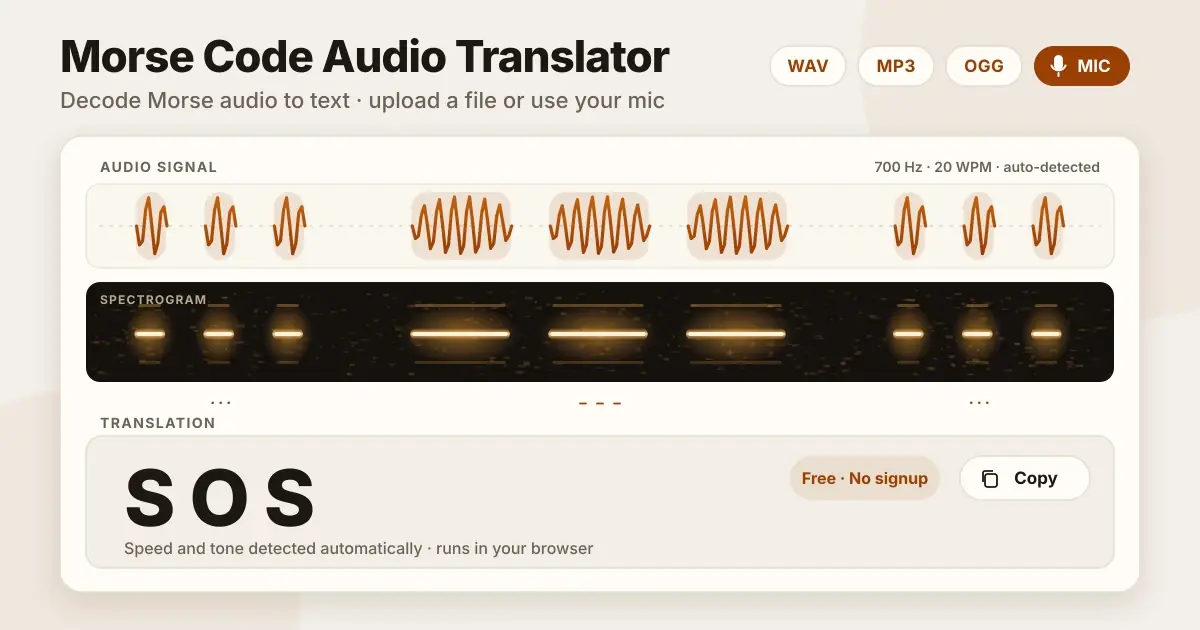
About Morse Code Audio Translator
Morse Code Audio Translator listens to audio Morse code & transforms into readable text. You can upload an audio file (.WAV or .MP3 or OGG file) or you can use your live microphone. The tool itself automatically evaluates & detects audio waveform & measures the timing for you, so you do not need to enter the speed or the pitch.
Every Morse signal is made from one unit of time: the length of one dot. A dash (dahs) lasts three units. The gap (quiet spaces that give Morse its structure) between letters is three dots (dits) long, and the gap between words is seven. These ratios come from the ITU standard, ITU-R M.1677-1. They stay the same at any speed, in this way the decoder can measure one dot in your audio and work out the rest. The best way to learn morse is by ear, not by eye because it's all about timing.
How to Use Morse Code Audio Translator?
Using Morse Code Audio Translator is very easy & simple. We'll guide you step by step below:
- Upload your audio file in the form of (.WAV, .MP3 or OGG File) or you can use live Microphone by pressing the Listen button.
- Keep your audio background clear & noiseless, either you are uploading audio files or using live Microphone, so the tool can recognise your audio easily.
- If you want to adjust the settings, try Minimum Volume, Maximum Volume, Volume threshold, Frequency (Hz), WPM, Farnsworth WPM.
Behind the scenes, the tool detects each tone, measures its length against the unit size, groups dots and dashes into letters using the gaps, and reconstructs the full message in a few seconds.
- Click on the Play button to listen to the Morse code audio or click on the Copy button to copy the decoded text.
File or Mic: Which Should You Use?
Both options work great, but use it according to your situation.
File Upload
If you have an audio file in the form of saved recording, an old training file or a radio clip, then use a file upload. Files are mostly clear, & gives a clean signal to Morse code audio tools.
Mic
If sound is playing on a radio, phone or a speaker, & you can't save it, use a microphone in that case. Always keep your source near to the Microphone, because Microphone catches background noise also & accuracy will become low. You can also use a Microphone to test audio from another device. Your browser will ask for microphone permission the first time you use it, you can allow access to start decoding live audio.
Why to Learn and Check Morse by Sound?
Morse code is a pattern of beeps and silences, and the chart is only a map. The code itself lives in sound.
Hear the letter, do not count it.
Take the letter L. On paper it is dot, dash, dot, dot. In sound it is one short rhythm: di-DAH-di-dit. Most of the Morse teachers warn against learning from charts for this reason. A learner who turns dots into letters in their head starts to fall behind as the speed rises. A learner who hears whole letters keeps up. The Koch and Farnsworth methods both protect that skill. Letters are played fast, so they sound like letters. The pauses are stretched, so you have some time to think.
Three times audio saves you work.
- You are learning: Train your ear with a few letters played as sound because its better than a chart does.
- You made a clip: It might be a clue for a puzzle, an escape room, or a school project. Playing it back is the fastest way to find out whether it sounds the way you meant.
- You were given a recording: Maybe you have saved a radio clip, an old training file, or a puzzle which was sent by a friend. You need the text, not a lesson.
Ear or decoder: which fits the job?
| Job | By ear | With a decoder |
|---|---|---|
| Learning the letters | Best choice. It builds the skill you came for. | Useful only to check your answers. |
| A short clip you made | Quick, but easy to second-guess. | Fast check. Hear it and read it. |
| A long recording | Slow, tiring, easy to lose your place. | Fast first draft. |
| Unknown speed or pitch | You need time to get used to it. | Detects both from the audio. |
| Noisy or hand-sent audio | A trained ear can judge what was meant. | May misread gaps. Check the result. |
| A puzzle with an answer | Fun to solve yourself. | Good for confirming your answer. |
Advantages and disadvantages
Decoding by ear manually
Advantages: Builds a lasting skill that works without any device. Handles uneven, hand-sent code better once you are trained. Lets you understand the message, not just the timing.
Disadvantages: Slow on long recordings. Tiring, and one missed beep can throw off every letter after it. Takes real practice before it feels natural.
Using a decoder
Advantages: Gives you a first draft in seconds. Finds the speed and the tone on its own. Works from a file or your microphone, free, with no signup. Needs no Morse skill to use.
Disadvantages: Can misread noisy, uneven, or overlapping signals. Measures timing only. It does not understand the message. Does not teach you to hear Morse. Needs a clear tone to work well.
The best way to use both: Use the decoder for a first draft and your ear for the final check.
Morse Code Timing Rules and Speed
Morse code is not only dots and dashes, the silence also matters a lot. Every length is a multiple of one unit, and one unit is the length of a dot.
| Part | Length | What you hear | At 12 WPM |
|---|---|---|---|
| Dot | 1 unit | A short beep | 100 ms |
| Dash | 3 units | A long beep | 300 ms |
| Gap inside a letter | 1 unit | A tiny pause | 100 ms |
| Gap between letters | 3 units | A short pause | 300 ms |
| Gap between words | 7 units | A long pause | 700 ms |
These ratios come from the ITU standard, ITU-R M.1677-1. They stay the same at every speed. Only the size of the unit changes.
What goes wrong when the spacing is off:
- E then T is one dot, a pause, then one dash. If the pause is too short, it sounds like A (dot-dash).
- C is dash-dot-dash-dot. If the pause in the middle is stretched, it sounds like N N.
- MEET AT NOON turns into MEETATNOON if the word gaps shrink.
Hand-sent code does this often. Software has the same trouble.
How speed is measured: Speed is counted in words per minute (WPM). The standard test word is PARIS, which takes exactly 50 units to send. To find the length of one unit, divide 1200 by the WPM. The answer is in milliseconds.
- 5 WPM: 240 ms
- 12 WPM: 100 ms
- 20 WPM: 60 ms
Faster code is just the same pattern played with a shorter unit.
Note: These numbers translate into rough skill levels:
| Level | WPM | What it feels like |
|---|---|---|
| Beginner | 5–10 | Enough time to think; good for fundamentals |
| Improving | 12–18 | Recognition starts replacing counting |
| Comfortable | 20+ | Patterns heard as sounds, not dots and dashes |
| Advanced | 30–40+ | Fast conversational CW for experienced operators |
Why Use This Free Morse Code Audio Decoder?
Most online tools don't give full functionality. Some convert text into beeps and stop there while others just decode audio, but only if you already know the speed and the pitch. This online tool does both, and it works without an account.
- Decode without knowing the settings. Sometimes you get a clip having no idea how fast it was sent or what pitch it uses. That is the normal case with a recording someone sent to you. The tool detects the speed (WPM) and the tone frequency (Hz) from the audio itself. You can decode Morse code from audio online without setting anything first.
- Use a file or your microphone. If you have a saved clip, upload it to translate Morse code audio. The tool can decode Morse code from an MP3, WAV, or OGG file and give you the text, so it works as a simple Morse code audio converter and Morse code translator audio to text tool. If the sound is playing somewhere else, like a radio, a speaker, or another phone, use the microphone instead. If you are not sure what to choose, the mic vs file section above covers it.
- Make Morse audio too. Type a message, then play it or download the Morse code audio as a file. Before you do, you can set the speed, the Farnsworth spacing, and the pitch. This makes it a handy Morse code sound generator, a text to Morse code audio generator for practice clips, puzzles, and school projects. You can also upload the file you just made. The clip is good if you get your own message back. Many learners find a tone around 600 to 800 Hz which is easy to follow, and you can adjust the pitch to match. When you are satisfied with a clip, download it as an MP3 to keep. The free online Morse code translator on the homepage does the same instant text-to-Morse conversion as you type.
- Your audio stays in your browser. Decoding only happens in your browser locally, and your audio is never uploaded anywhere else. That matters most with the microphone, because it hears the whole room, not only the beeps. There is nothing to sign up for or subscription needed and you have nothing to pay. It runs directly in your browser, you don't need to install anything.
Limitations: Noisy recordings, uneven hand-sent code, and two signals at once can produce mistakes. Treat the result as a first draft and check it against what you hear. The accuracy limits section explains when to expect trouble.
Difference Between WPM vs Farnsworth
WPM (words per minute) is the overall speed, explained in the timing section above.
Farnsworth timing is great for beginners because they recognise letters at a real operating speed, it sends each letter at full speed but stretches the gaps between letters and words. So the audio sounds slower overall, even though each character is still sent at normal speed.
If your audio was made using Farnsworth mode, set the Farnsworth WPM to match the value it was generated with. Otherwise, keep it equal to the WPM Rate.
Other settings, explained simply:
| Setting | What it does |
|---|---|
| WPM Rate | Overall speed of the Morse code |
| Farnsworth WPM | Spacing speed, if different from WPM Rate |
| Freq (Hz) | The pitch of the tone, the most important setting to get right |
| Filter Q | How sharply the decoder focuses on the chosen frequency, leave at default unless there is interference |
| Vol dB Min/Max | Volume range the decoder listens to, defaults work for most audio |
| Automatic Frequency Tracking | Detects the tone's pitch automatically when you don't know it |
Morse Code Alphabet (A to Z)
Letters are easier to learn when you group them by how many beeps they use, not alphabetically. Short letters come first because they appear most often in real messages.
One element
| Letter | Code |
|---|---|
| E | . |
| T | - |
Two elements
| Letter | Code | Letter | Code |
|---|---|---|---|
| A | .- | N | -. |
| I | .. | M | -- |
Three elements
| Letter | Code | Letter | Code |
|---|---|---|---|
| D | -.. | S | ... |
| G | --. | U | ..- |
| K | -.- | W | .-- |
| O | --- | R | .-. |
Four elements
| Letter | Code | Letter | Code |
|---|---|---|---|
| B | -... | P | .--. |
| C | -.-. | Q | --.- |
| F | ..-. | X | -..- |
| H | .... | Y | -.-- |
| J | .--- | Z | --.. |
| L | .-.. | V | ...- |
Practical note: Samuel Morse is said to have built this code around letter frequency, not randomness, the story goes that he counted how many metal letters a printer kept in each tray slot and gave the most common ones, E and T, the shortest signals. That is why short, easy sounds map to the letters you will hear most. The Morse code alphabet chart groups the same letters with listening practice tips.
Morse Code Numbers (0 to 9)
Numbers follow a clean pattern once you see it: as the digit rises from 1 to 5, dots are replaced by dashes one at a time from the left. From 5 to 9, the pattern reverses.
| Number | Code | Number | Code |
|---|---|---|---|
| 1 | .---- | 6 | -.... |
| 2 | ..--- | 7 | --... |
| 3 | ...-- | 8 | ---.. |
| 4 | ....- | 9 | ----. |
| 5 | ..... | 0 | ----- |
Practical note: 5 is all dots, 0 is all dashes, they sit at opposite ends of the pattern. Once you know this, you can often work out a number's code from its position instead of memorizing all ten separately. The Morse code numbers chart has the same pattern with audio tips.
Common Punctuation in Morse Code
Punctuation codes are longer than letters because they are used less often. You rarely need more than the first five in normal practice.
| Symbol | Code |
|---|---|
| Period (.) | .-.-.- |
| Comma (,) | --..-- |
| Question mark (?) | ..--.. |
| Hyphen (-) | -....- |
| Slash (/) | -..-. |
| Equals (=) | -...- |
| Apostrophe (') | .----. |
| Exclamation (!) | -.-.-- |
| Colon (:) | ---... |
| Semicolon (;) | -.-.-. |
| Parentheses ( ) | -.--.- |
| Plus (+) | .-.-. |
| At (@) | .--.-. |
Morse Audio Examples You Can Decode Right Now
These examples we chose for a reason, not randomly and each one tests a different skill you will need later.
| Text | Morse | What it tests |
|---|---|---|
| SOS | ... --- ... | The universal starting rhythm, three short, three long, three short |
| PARIS | .--. .- .-. .. ... | The standard WPM test word, worth learning early |
| OK | --- -.- | Two letters with very different lengths side by side |
| 73 | --... ...-- | Mixed-length numbers, common in radio sign-off |
| HELLO WORLD | .... . .-.. .-.. --- / .-- --- .-. .-.. -.. | A full word-gap test, the 7-unit pause between the two words |
How to use this table: Play or type SOS first, since its rhythm becomes your reference point for every other letter's timing. Then try PARIS, if you can decode it correctly, your ear (or the tool) is reading the standard speed unit correctly. HELLO WORLD is the best last test because it checks whether word gaps are coming through clearly, which is where most decoding errors actually happen.
Who Can Use Morse Code Audio Translator?
Morse Code Audio Decoder works for different kinds of people, not just for radio operators.
- Amateur radio operators. CW is still a core part of amateur radio, and many operators copy code by ear during contests and regular contacts. When a signal is weak or sent faster than usual, this tool gives a quick second opinion. Organisations such as the RSGB in the UK and the ARRL in the US continue to support CW training, so the skill remains active across the amateur radio community.
- Students and self-learners. If you are training your ear, you can use the decoder to check what you actually heard instead of guessing or waiting for someone else to confirm it.
- Teachers and instructors. Most classroom demos need extra equipment or setup time. This one runs in a browser tab, so you can decode a signal in front of students with nothing to install.
- Archivists and researchers. Old recordings, wartime broadcasts, ship logs, personal tapes, sometimes include Morse segments that are too fast or too noisy to follow by ear alone. Running them through the tool gives you a starting transcript.
- Hobbyists and makers. People building Arduino or signal based projects often use Morse to test timing and tone output. Feeding that output back into the decoder confirms the signal is clean.
- Puzzle and escape room designers. A clue is only good if people can actually decode it. Testing your finished audio clue here first catches timing mistakes before players get stuck.
Tips for Learning and Decoding Morse by Ear
Here are the few habits that make learning faster and decoding more easily.
- Learn the sound, not the symbol: Hear each letter as one rhythm, not as counted dots and dashes. A is "di-DAH," not "dot then dash." Counting in your head is what makes people fall behind as speed increases.
- Start with the most common letters: E, T, A, O, I, N, S, H, and R appear most often in real messages, so learning these first gives you the fastest return.
- Practise daily in short sessions: Ten to fifteen minutes a day works better than one long, tiring session. Consistency builds the skill faster than duration does.
- Use real words, not random letters: Your name, a callsign, or short words like THE and AND give your ear something meaningful to hold onto, rather than abstract noise.
A Simple Two-Week Starting Plan
| Days | Focus | Practice words |
|---|---|---|
| 1–3 | E, T, A, N | TEN, ANT |
| 4–7 | I, M, S, O | IS, SO, AIM, MOON |
| 8–10 | R, H, D, K | HER, HARD, DARK |
| 11–14 | Numbers 1–5 | Simple number mixes |
Each stage builds on the last, so by day 14 you are reading short real words, not just single letters.
Getting the Cleanest Audio for Decoding
The accuracy of the result totally depends upon the cleanliness of the sound. The decoder reads the tone gaps & extra noise can confuse it, so always keep your tone clear & don't mix extra noise with it. Mono works better than stereo, since the tool only needs one steady channel. If you know the frequency and speed, put them manually; if not, auto-detect will work it out for you.
| Format | Accuracy | Note |
|---|---|---|
| WAV | Best | Keeps full signal detail |
| OGG | Good | Works well with clean recordings |
| MP3 | Good | Compression can affect accuracy slightly |
Frequently Asked Questions
Is Morse Code Audio Translator free?
Yes, it's completely free, no sign-up or login required.
Which audio format is best for Morse Code Audio Translation?
There are three supported audio formats: WAV (preferred, because it gives maximum accuracy), MP3, and OGG.
Is Morse Code Audio downloadable?
Yes, you can download your generated audio by clicking the Download button.
Which devices support this Morse code audio translator?
File upload and decoding works in any modern browser on desktop or mobile. Live microphone decoding needs a secure connection (HTTPS) and a browser that supports microphone access, this works in all current major browsers, but may not work in older or restricted browsers, or over a non-HTTPS connection.
Can I convert Morse Audio to text?
Yes, the decoder reads the timing patterns, identifies dots (.) and dashes (-), and converts them into readable text, ready to review and copy.
Can I decode morse code in real time?
Yes, click the Listen button and the decoder reads your microphone live, showing each letter as soon as its beeps finish. For a file, press Play and the text builds up alongside the audio.
Does file length affect how long decoding takes?
Processing time depends mainly on the file's length and your device's speed. Most files decode in just a few seconds. Even an hour-long recording typically processes in well under a minute, since the tool only needs to scan for tone patterns, not play the audio in real time.